New hotspot entrepreneurs
Launch a managed WiFi business with clear packages, vouchers, payments, and usage controls.
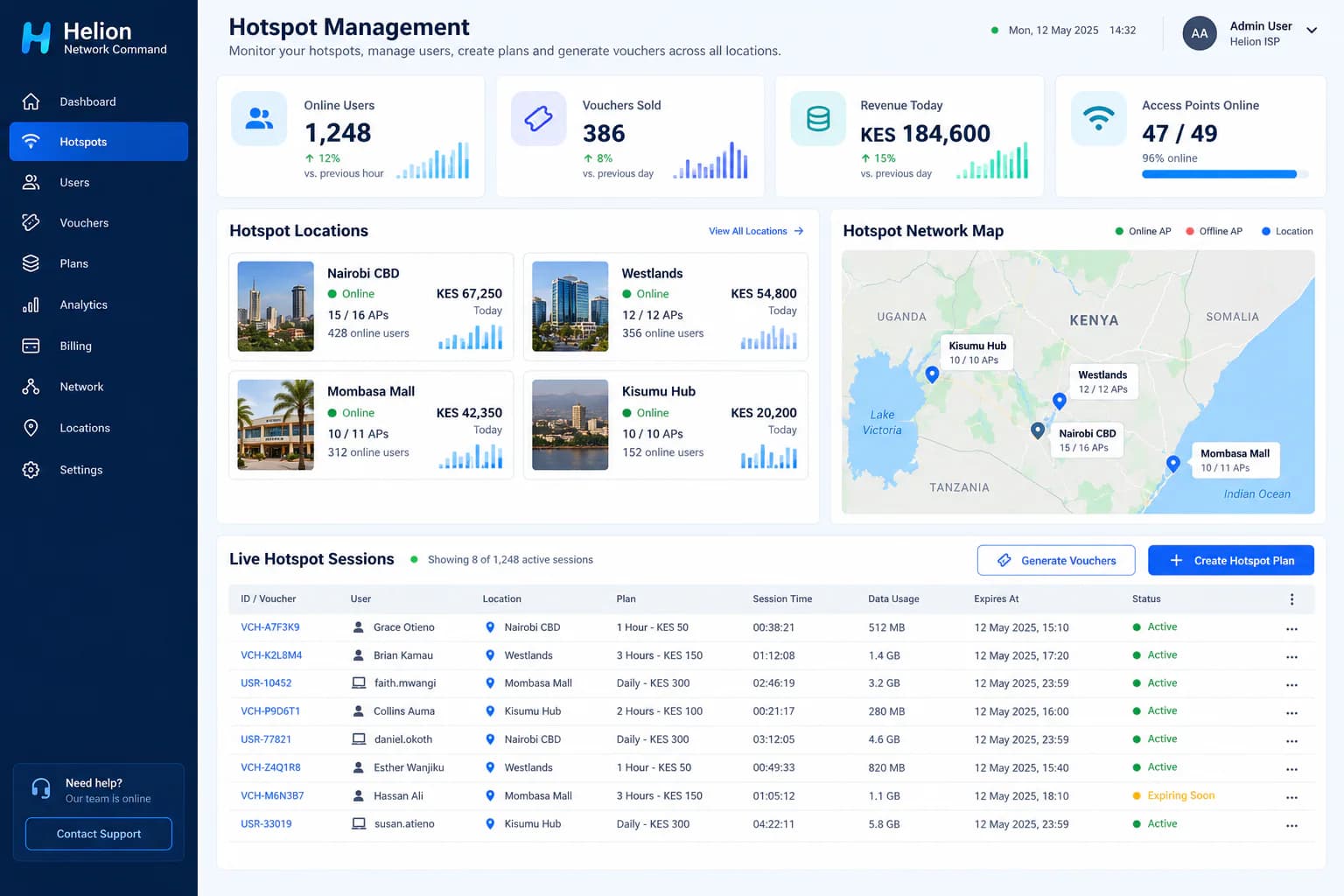
Helion helps entrepreneurs, ISPs, and businesses launch and operate paid, free, or sponsored hotspots with captive portals, vouchers, payments, bandwidth control, and multi-location visibility.
Who it is for
Start with one location or bring an existing hotspot estate under centralized management.
Launch a managed WiFi business with clear packages, vouchers, payments, and usage controls.
Give guests reliable, branded access without sharing one permanent password.
Manage multi-zone WiFi, sponsored access, customer sessions, and service quality.
Offer controlled internet access to residents, tenants, visitors, or common areas.
Operate access across parks, terminals, markets, events, and community locations.
Add managed hotspot locations alongside existing subscriber and network operations.
Hotspot requirements
A hotspot is both a software service and a physical network. Helion manages the user journey and operations, while the correct router, access points, backhaul, and installation deliver reliable coverage.
Fibre, fixed wireless, or another backhaul sized for your expected concurrent users and the speeds you plan to sell.
A compatible router handles authentication, sessions, speed profiles, user limits, and access enforcement.
Indoor or outdoor access points provide coverage. Quantity and placement follow the site layout and user density.
Ethernet cabling, PoE switches or injectors, mounting equipment, and secure power for a reliable installation.
Choose paid packages, vouchers, complimentary access, sponsored WiFi, or a combination of access models.
Centralize plans, captive portals, users, sessions, payments, locations, monitoring, and performance reporting.
Hardware is sized per site. The router and access-point models should be selected after confirming expected users, package speeds, coverage, interference, cabling, and future growth.
The hotspot user journey
Connect
The customer selects your WiFi network.
Open portal
A branded login page presents packages or access options.
Pay or redeem
The user pays, enters a voucher, or accepts complimentary access terms.
Go online
Helion applies the correct time, speed, device, and data policy.
Manage
You monitor sessions, revenue, locations, and network health.
Flexible business models
Use one access model or combine several at the same location. Each package can have its own price, validity, speed, data allowance, and device limit.
Sell hourly, daily, weekly, or data-based internet access.
Create controlled access codes for customers, guests, or resellers.
Offer limited complimentary access with fair-use controls.
Let a business or campaign fund access for selected users or locations.
From idea to live hotspot
Estimate coverage, foot traffic, peak concurrent users, available power, cabling routes, and internet backhaul.
Select the MikroTik gateway, access points, switching, packages, payment method, and captive portal journey.
Mount and connect equipment, configure secure networks, connect Helion, and create access policies.
Validate coverage, capacity, login, payment, voucher redemption, speed limits, session expiry, and support workflows.
Monitor usage, revenue, access-point health, busy periods, customer experience, and package performance.
Operate with visibility
Replace disconnected router logins and manual voucher records with one operational view of your hotspot service.
Hotspot questions
A compatible MikroTik router is the recommended hotspot gateway because it provides routing, user authentication, bandwidth control, and session enforcement. We confirm the correct model after reviewing your expected users, internet capacity, and number of locations.
Use business-grade access points sized for the coverage area and expected concurrent users. The right quantity and placement depend on the building materials, floor plan, outdoor range, interference, and user density. A site survey is recommended before installation.
Yes. Helion can support timed or data-based hotspot packages, voucher access, and connected payment workflows. Available payment integrations are confirmed for your market during setup.
Yes. A hotspot can provide complimentary access with time, speed, or data limits. Businesses can use a branded captive portal for terms acceptance, customer engagement, sponsorship, or campaign messaging.
Yes. Helion provides centralized visibility across locations, including users, access points, sessions, packages, revenue, and service health, while allowing location-specific settings.
Helion can report gateway and access-point availability, but the hotspot still depends on its internet backhaul and power. We recommend appropriate uptime monitoring and, where the business case requires it, backup connectivity and power.
Tell us about the location, expected users, available internet, and business model. We’ll help define the equipment, installation, and Helion setup.
Request a hotspot assessment