Retail Operations
How to Run a Multi-Store Business Like a Pro
Learn how to efficiently operate businesses with multiple locations and warehouses. Discover strategies, best practices, and how ERP systems can help streamline your operations.

Running a multi-store business is a true test of operational excellence. Here’s a comprehensive guide to help you master the art of managing multiple locations, warehouses, and teams—while leveraging ERP to scale efficiently.
1. Centralize Operations for Consistency
Unify your inventory, sales, purchasing, and reporting in a single system. This eliminates duplication, reduces errors, and gives you a real-time view of your entire business.
- Use a cloud-based POS and ERP for all branches
- Standardize SKUs, pricing, and promotions
- Centralize purchasing to negotiate better supplier terms
2. Standardize Processes and Training
Develop SOPs for every core process: receiving stock, sales, returns, transfers, and cash handling.
- Document workflows for each location
- Train staff with checklists and scenario-based exercises
- Use digital tools for onboarding and ongoing training
3. Real-Time Inventory and Stock Transfers
Track inventory at every location and warehouse. Enable branch-to-branch transfers to balance stock and reduce lost sales.
- Set reorder points and automate purchase orders
- Use barcode scanning for accuracy
- Monitor shrinkage and investigate discrepancies
4. Optimize Warehousing and Logistics
Design warehouse layouts for fast picking and packing. Use location tracking and batch/expiry management for perishable goods.
- Implement cycle counts and regular audits
- Integrate logistics for last-mile delivery
- Use data to optimize routes and reduce costs
5. Empower and Connect Your Teams
Multi-location success depends on strong communication and accountability.
- Use chat and task management tools for daily coordination
- Set clear KPIs for each branch and role
- Recognize top performers and share best practices
6. Leverage ERP for Automation and Insights
An ERP system connects sales, inventory, finance, HR, and CRM.
- Automate routine tasks: stock transfers, reordering, payroll
- Consolidate financials for all locations
- Use dashboards to spot trends and act quickly
7. Monitor Performance and Scale Up
Track KPIs: sales per branch, inventory turnover, shrinkage, staff productivity, and customer satisfaction.
- Run weekly reviews with branch managers
- Benchmark locations and set improvement targets
- Plan for new branches with data-driven forecasts
8. Overcome Common Challenges
- Stockouts: Use real-time alerts and automated reordering
- Overstocks: Analyze slow-movers and run targeted promotions
- Staff turnover: Invest in training and culture
- Data silos: Integrate all systems with your ERP
Conclusion
Running a multi-store business is complex, but with the right systems, processes, and people, you can scale profitably and deliver a consistent customer experience everywhere. ERP is your backbone—use it to automate, analyze, and grow like a pro.
Related Solutions
Products that match this guide
Tessera POS
Run fast checkout, inventory sync, M-PESA payments, branch reporting, and retail controls.
Explore Tessera POSTERP Accounting
Manage reconciliations, AP/AR, VAT reporting, budgets, cashflow, and audit-ready controls.
Explore AccountingTessera ERP
Connect inventory, purchasing, accounting, HR, POS, and reporting in one business platform.
Explore Tessera ERPKeep Reading
More Articles

Best POS System in Kenya (2025): A Buyer's Guide for Retailers and Restaurants
Not every POS system is built for the Kenyan market. M-PESA integration, offline capability, KRA-compliant VAT reporting, and local support are not optional extras here — they are the baseline. This guide covers what to look for and what questions to ask before you commit.
Read article →
POS Inventory Management: How to Stop Stockouts Before They Happen
A stockout is not just a missed sale — it is a customer who walked to a competitor and may not come back. POS inventory management gives you the visibility to reorder before shelves empty and the data to stop over-ordering what sits unsold.
Read article →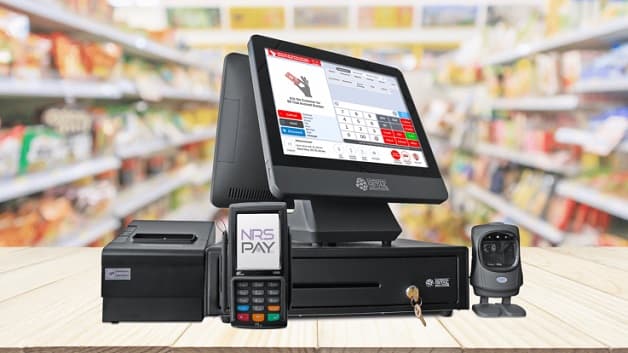
POS System vs Traditional Cash Register: Why Modern Retail Is Moving On
A cash register does one thing: record that money changed hands. A modern POS system does everything that happens before and after that moment — and that difference is where retail businesses are won or lost.
Read article →